
It looks like someone unplugged your Samsung microwave: the display turns completely black. It’s as if it’s out of power. You see no blue LED numbers displaying the time.
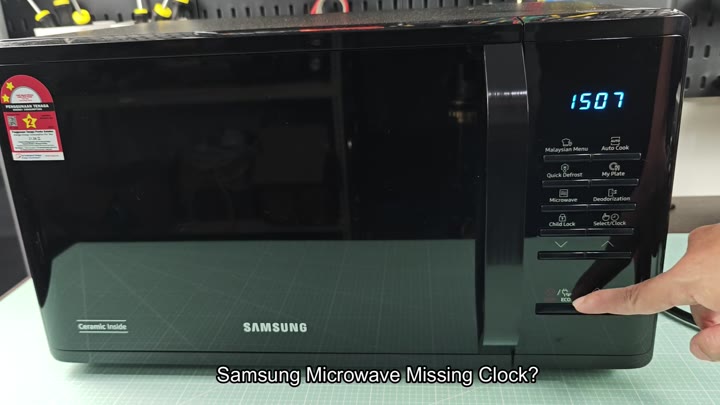
It’s scary, especially for a brand new appliance! But, no, it’s getting power from the wall. And everything else function just dandy.
Understanding Eco Mode Functionality
The display may go completely dark, making it look like the appliance has lost power.
There’s just no time
The energy saving thing kicks in when you push the button at the bottom of the control panel marked ECO. That’s why it has a blank screen.
To save energy, microwaves turns off non-essential parts when they’re not being used. Turning off non-essentials save energy while in standby mode. Time display? Non-essential. Blank screen. No biggie. Just a feature. How it works make sense.
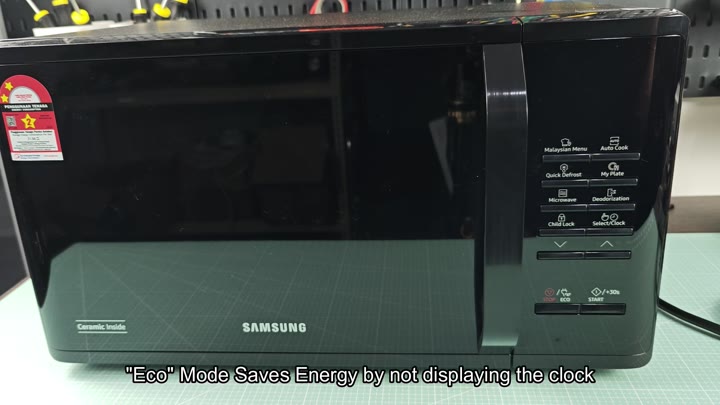
Eco mode turns off the clock display to save power. That reduces the unit’s total power consumption.
At first, you may think that’s an annoying approach; after all, who doesn’t need an appliance that displays the time? But remember: this company value efficiency more then permanent display visibility. The choice was obvious: you save energy but lose the clock display.
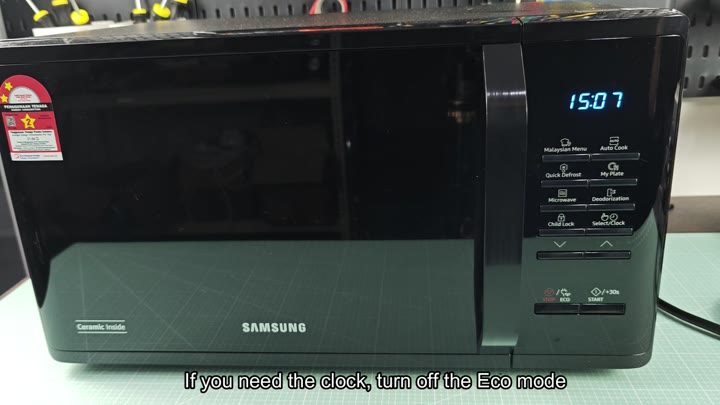
To view the time simply disable Eco mode by pressing the button again. The screen will go back to showing you the current time in blue LED numbers. The screen will also now show the correct time.
All there is to it is a push of a button, no resetting, no unplugging the microwave. No technical expertise required whatsoever. Once you know how Eco mode works, it make total sense.
When the microwave is working to save energy, the clock turns off. When you turn eco mode off, the clock come back on. That’s just how the Samsung model behaves.
This knowledge will keep you from panicking unnecessarilly. Next time your screen turns black, pull up the ECO setting. It is an easy fix. You do not need tools. There is no wait time. Simply press the ECO button.
Rest assured, the microwave still works completely. Regardless of whether or not the display works, none of the cooking function are changed. In fact, only the clock changes with Eco mode.
Don’t think it’s hardware malfunctioning without looking at software settings first. You just may be able to save yourself some frustrations and maybe even a service call.
This is an instant fix. And the microwave? Perfectly fine.
And it’s invisible when I want it to be, a feature that might be annoying initially, but it fits many lifestyle. Love how visible it is. Love how much energy it saves. Like being in charge of what gets displayed. It adds value to the machine.
If you’re having similar problems, go check this setting out. Probably fixes your issue. Pressing the button then watching the screen for the change will save you time.