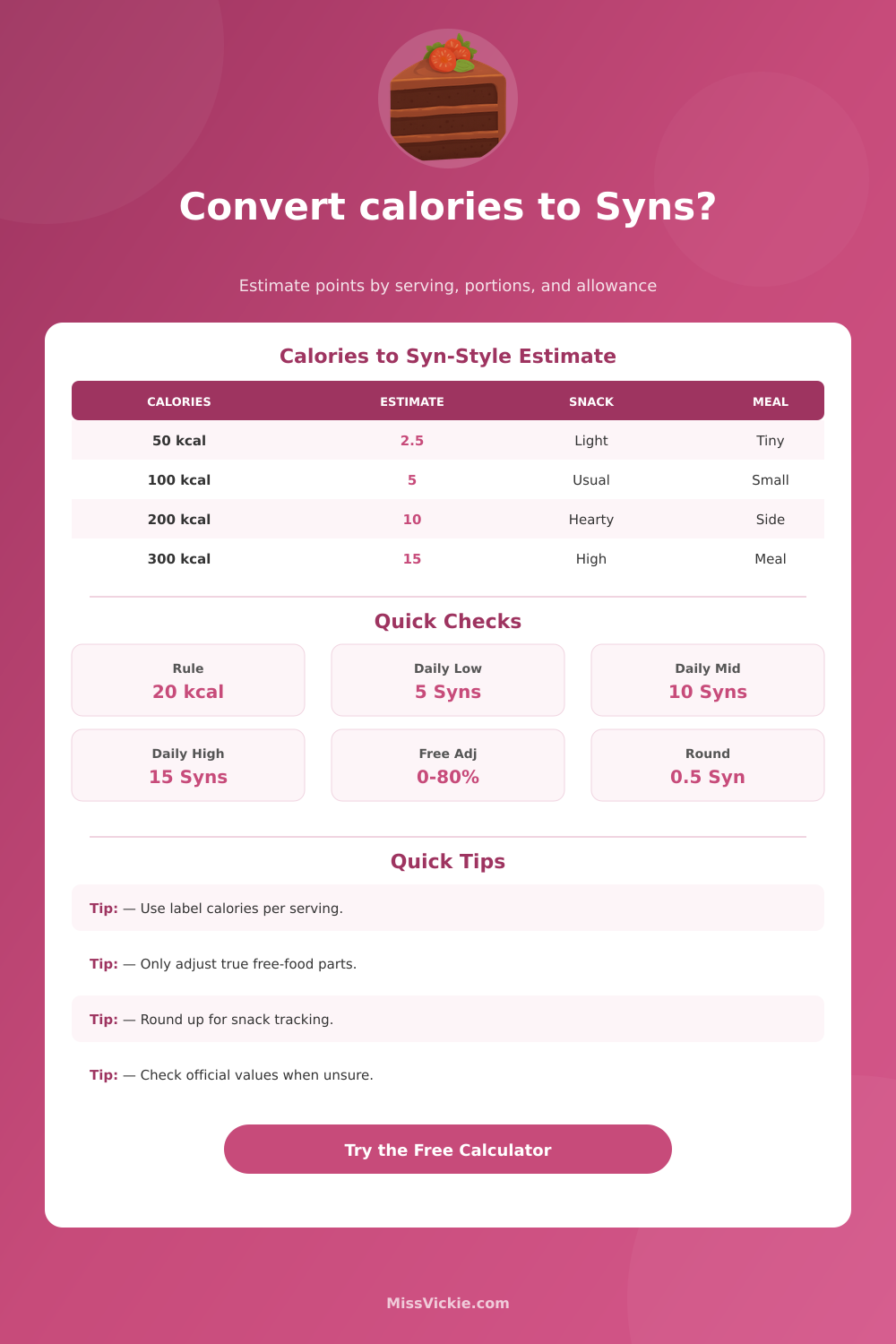
Calories, serving size, free-food adjustment, meal type, portions, and daily allowance
Calorie to Syns Converter
Estimate Syn-style points from calories using a common informal 20 kcal per Syn rule, then adjust for serving size, portions, and a visible free-food estimate. This calculator is an estimate and has no brand affiliation.
Choose a snack, drink, or meal label, then edit the calories, serving size, free-food adjustment, portion count, and daily allowance to match your own food.
This calculator is an unofficial estimate, not a diet-plan authority. It is not affiliated with, endorsed by, or connected to Slimming World or any other brand.
Calculation Breakdown
Use these cards as calculator assumptions only. If your plan or app gives an official value, use that value instead.
| Calories | Raw Estimate | Nearest 0.5 | Round Up 0.5 | Typical Use |
|---|---|---|---|---|
| 25 kcal | 1.25 Syns | 1.5 Syns | 1.5 Syns | Bite, splash, or small sauce taste |
| 50 kcal | 2.5 Syns | 2.5 Syns | 2.5 Syns | Light snack, small sweet, low-cal drink |
| 75 kcal | 3.75 Syns | 4 Syns | 4 Syns | Small biscuit or mini snack bar |
| 100 kcal | 5 Syns | 5 Syns | 5 Syns | Standard snack portion |
| 150 kcal | 7.5 Syns | 7.5 Syns | 7.5 Syns | Heavier snack or dessert add-on |
| 200 kcal | 10 Syns | 10 Syns | 10 Syns | Large snack or small meal side |
| 250 kcal | 12.5 Syns | 12.5 Syns | 12.5 Syns | High snack or small convenience item |
| 300 kcal | 15 Syns | 15 Syns | 15 Syns | Full daily allowance for many trackers |
| Label Basis | What To Enter | Example Label | Calculator Math | Good For |
|---|---|---|---|---|
| Per serving | Serving size as 1 | 120 kcal per bar | 120 kcal x portions | Bars, biscuits, tubs, packets |
| Per 100 g | Grams eaten | 390 kcal per 100 g | Calories x grams / 100 | Crisps, cereal, cheese, sweets |
| Per 100 ml | Milliliters drunk | 82 kcal per 100 ml | Calories x ml / 100 | Wine, juice, sweet drinks, sauces |
| Whole pack | Fraction or packs eaten | 480 kcal per pack | Pack kcal / pack size | Ready meals and multi-serve packs |
| Whole recipe | Recipe portion eaten | 1600 kcal batch | Recipe kcal / batch portions | Homemade meals and desserts |
| Free-Food Adjustment | When It Might Fit | Example Excluded Calories | Risk Level | Calculator Note |
|---|---|---|---|---|
| 0% | No clear free-food part | 0 kcal | Lowest | Best for sweets, crisps, sauces, drinks |
| 25% | Some lean protein or plain vegetables | 25 kcal from 100 kcal | Moderate | Use when the label mixes counted and free parts |
| 50% | Meal mostly based on free ingredients | 100 kcal from 200 kcal | Higher | Useful for homemade mixed bowls only |
| 75% | Mostly free-food plate with small counted add-on | 150 kcal from 200 kcal | Highest | Check official guidance if available |
| Daily Allowance | Calories Equivalent | 5 Syn Snack | 10 Syn Snack | 15 Syn Snack |
|---|---|---|---|---|
| 5 Syns | About 100 kcal | 100% used | Over allowance | Over allowance |
| 10 Syns | About 200 kcal | 50% used | 100% used | Over allowance |
| 15 Syns | About 300 kcal | 33% used | 67% used | 100% used |
| 20 Syns | About 400 kcal | 25% used | 50% used | 75% used |
A splash, bite, teaspoon, or very small treat. Easy to miss in a food diary.
Often similar to one small biscuit, mini bar, light drink, or low-cal dessert.
Common range for a packet snack, larger sweet, drink, or richer side portion.
May take most or all of a typical daily allowance, especially before adjustments.
When attempting to track food intake, the calories listed on the food product label may not assist with the eating decision. The calories on the packet may be visible to the eater, but the calories on the food packet dont provides information regarding if the food selection fit within the daily food plan. In response, individuals can use an estimate to convert the calories to a point-style measurement.
This estimate does not contain the official calorie values for food, but the estimate does allow for the comparison of food prior to the decision of the amount of food to eat. To create such an estimate, individuals can use a rule that sets twenty calories to be equal to one point. This point value is not official, it isnt exact, but it allow for the replacement of calories with points.
Convert Calories to Points
The calculator will mathematically determine the number of points that food will be worth if you enter the calorie information from the food label. This information can include the calories per serving, per hundred grams, per hundred milliliters, for the whole pack of food, or for an entire recipe. Additionally, the calculator will calculate the points according to the portion of the food that is to be eaten.
For each of these field, individuals must provide information in order for the points estimate to be useful. For instance, the figure per hundred gram is only useful if the individual knows how many grams of the food will be eaten. The individual can enter the number of grams in the serving-size field.
For example, instead of using the calorie value per hundred grams of food, the individual can use the serving-size field to indicate that the number of grams of food to be eaten is equal to the number of grams of food in a serving. In this case, the individual will not have to use the field for calories per hundred grams of food. The information is required in the free food adjustment field because some meals may contain ingredients that are counted in the food budget and other food ingredients that are considered “free” food.
In the food budget, the individual can reduce the calories of the food that is counted by a percentage in this field. However, such a percentage should only be used if the food to be eaten actualy contains ingredient that are considered to be free food. Using such a percentage in foods that do not contain free food ingredients may result in the food estimate having a more lower value than the calories of the food that will actually be consumed.
Thus, the free-food adjustment field should be left unadjusted for food meals unless the food to be eaten contains large portion of free food ingredients. The portion count field and the daily allowance field allow for individual to decide how many points for food to eat. Foods may be comfortable with a five-point snack for instance, but the addition of that five-point snack to the number of points already used during the day may reduce the comfort in eating that food for the day.
This relationship between food points and daily allowance can be seen in the remaining-allowance line. The remaining-allowance line indicates how many points remain for the individual that day by calculating the difference between the daily allowance and the number of points that the individual is to be consumed. While the remaining-allowance line does not allow for the determination of whether the food that is eaten is good or not, it allows individuals to see how many points they have left for the day.
The individual may set the allowance for food points to a number, but the calculator does not determine that number. Additionally, individual consistency with the allowance of food points will make the food point estimate easier to compare with each other. For instance, if free-food food is always adjusted in the same way and the same portion count of food is eaten each time, individuals may be able to note when certain snack result in the same point value and how some food meals may be more complexly to determine the point value for the meal than other meals.
Thus, the point system can help individuals to make food decisions that are less based off the calorie information on the food label and more based upon an individual’s food decisions.