Meal items, gram servings, carb factors, fiber, exchanges, timing, and targets
Carb Counting Calculator
Total the carbohydrate load of a meal from up to three food items, adjust for fiber, compare against a meal target, and translate the result into 15-gram carb exchanges.
Choose a starting meal pattern, then edit each food line, serving weight, carb factor, fiber factor, timing, and target carb range.
Item Carb Breakdown
Meal Planning Breakdown
| Food | Approx 1 Exchange | Carb Factor Used | Counting Note |
|---|---|---|---|
| Cooked white rice | About 53g cooked | 28g carbs per 100g | Weigh cooked rice; cup measures vary with packing. |
| Cooked pasta | About 64g cooked | 23g carbs per 100g | Al dente and soft pasta hold different water amounts. |
| Sandwich bread | 1 regular slice | 49g carbs per 100g | Use the label when bread slices are thick or seeded. |
| Corn tortilla | 2 small tortillas | 45g carbs per 100g | Count each tortilla separately for taco plates. |
| Food Group | Approx 1 Exchange | Fiber Pattern | Counting Note |
|---|---|---|---|
| Beans or lentils | 70g to 80g cooked | High fiber | Total carbs look higher, but fiber can be substantial. |
| Potato or corn | 80g to 90g cooked | Low to moderate | Count as starchy vegetables, not free vegetables. |
| Whole fruit | 1 small piece | Moderate fiber | Juice removes much of the fiber advantage. |
| Non-starchy vegetables | Large serving | Low carb | Usually small impact unless sauce or breading is added. |
| Item | Approx 1 Exchange | Typical Fiber | Counting Note |
|---|---|---|---|
| Milk or plain yogurt | 220g to 250g | Usually 0g | Flavored yogurt can add much more sugar. |
| Sweet sauce | 35g to 50g | Usually 0g | Count barbecue sauce, ketchup, glazes, and sweet dressings. |
| Cake or dessert | 35g to 45g | Usually low | Small portions can carry a full exchange. |
| Sweet drink | 120ml to 150ml | Usually 0g | Liquid carbs add quickly and are easy to undercount. |
| Timing | Common Target Start | Best Use | Planning Note |
|---|---|---|---|
| Breakfast | 30g to 45g | Steady morning meal | Protein and fat can slow digestion but do not remove carbs. |
| Lunch or dinner | 45g to 60g | Balanced plate | Split starch, fruit, milk, and sauces across the target. |
| Snack | 15g to 30g | Small planned bite | A snack may be one to two exchanges. |
| Before activity | 15g to 45g | Activity support | Personal needs vary; use your own care plan. |
Carbs per 100g; very portion-sensitive after cooking.
Carbs per 100g with higher fiber than most starches.
Average mixed-fruit factor; use labels for dried fruit.
Sweet condiments can add carbs without much volume.
Carbohydrate counting are used to track the carbohydrates in a persons diet. Additionally, carbohydrate counting is a means of managing the blood sugar level of an individual. Carbohydrates have an impact on an individuals blood sugar levels.
Therefore, an individual must be able to calculate the carbohydrate in each meal that is prepared and consume by that individual. The carbohydrate calculator included in this article will perform the mathematics necessary for carbohydrate counting, so that the individual doesnt have to perform those calculations in his or her head while eating. The various input for the carbohydrate calculator are essential for determining the total amount of carbohydrates that an individual consumes from each type of food.
How to Count Carbs Using a Calculator
The first input is the type of food that is to be evaluate for carbohydrates. The second input is the weight of the serving of food in grams. The third input is the carbohydrate factor of the food per 100 grams of food.
The weight and the carbohydrate factor allow for the calculation of the total grams of carbohydrates in the food product. Additionally, an individual must decide how to account for the fiber content in the food product. The fiber content can be subtracted entirely from the total carbohydrate count, or only a portion of the fiber content may be subtract from the total carbohydrate count.
Additionally, an individual can program a target carbohydrate count for meals, and the carbohydrate calculator will indicate whether or not the calculated carbohydrate count is within that targets. Many individuals make mistake with carbohydrate counting. One of the most common is forgetting to account for all of the ingredients in a meal.
An individual may easily count the carbohydrates in a pasta meal but forget the carbohydrates in the sauce. Another mistake is in weighing dry food instead of cooked foods. Many foods like rice or pasta contain carbohydrates that do not change when cooked, but the weight of those foods increases due to the addition of water.
In this case, it is best to weigh cooked food in grams to ensure the accuracy of the carbohydrate count. Additionally, many sauces contain high amounts of carbohydrates. Therefore, it is beneficial to read the label on sauces prior to eating.
The decision of how to account for fiber is a personal one. Some individuals want to know the total carbohydrates in the food that they consumes. Other individuals want to know the amount of carbohydrates in food after the body has used the carbohydrates to fuel the cells.
While the carbohydrate calculator allows an individual to account for different amount of fiber, it does not make a choice about which method of accounting for fiber the individual should use. This method should be decided by the individual according to the suggestions of his or her medical professional. An exchange is a unit of carbohydrates.
The individual can choose the size of the exchange to be 15 grams, 10 grams, or 20 grams of carbohydrates. For example, if the individual chooses 15 grams of carbohydrates per exchange, the carbohydrate calculator will automatically calculate the number of exchanges in the meal by dividing the total grams of carbohydrates in the meal by 15. This value allows the individual to understand in what relationship the meal relates to carbohydrates that are recognize by the individual.
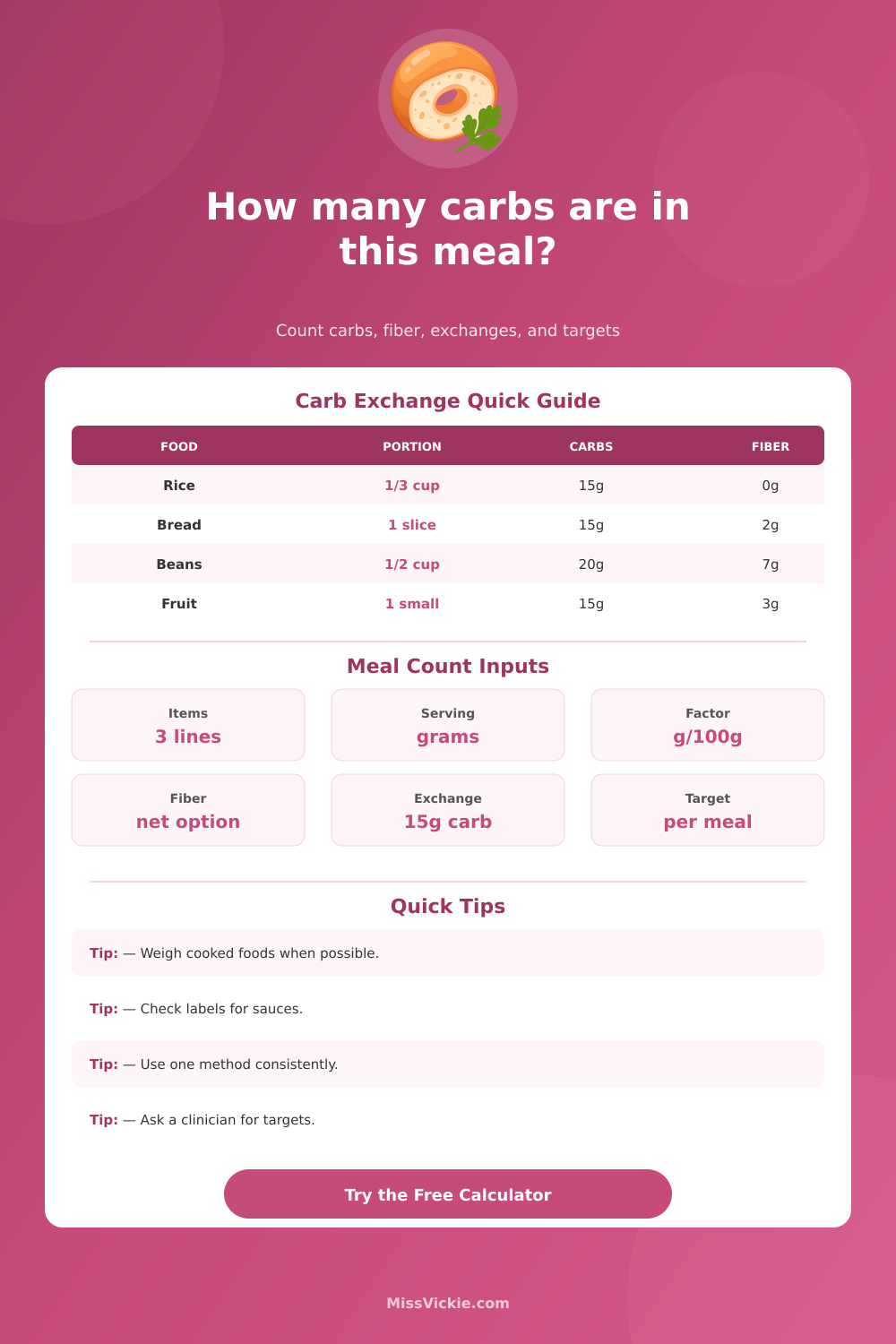
For instance, if the individual knows that the meal should contain three exchanges, the calculator can display the carbohydrates in the meal to determine if the meal contains three exchanges. The carbohydrate calculator also includes reference table that contain the carbohydrate counts of various food items. For instance, cooked rice contains 28 grams of carbohydrates per 100 grams of cooked rice.
Cooked beans contain 21 grams of carbohydrates per 100 grams of cooked beans. Fruit contains 14 grams of carbohydrates per 100 grams of fruit. These values can aid the individual in determining the carbohydrate count of meals without the use of food labels, but the values are an approximation.
If available, the individual should always obtain the carbohydrate count from the food label of the food item. In addition to the single food items in a meal, the carbohydrate calculator allows for up to three separate food items to be entered. For instance, an individual can enter the amount of carbohydrates in a tortilla, beans, and salsa separately.
This will allow the calculator to calculate the total carbohydrates in the meal of a taco. Additionally, the carbohydrate calculator allows for the incorporation of a buffer percentage to the calculated carbohydrates. This is useful for accounting for errors in recipes or restaurant portion size.
While an individual does not have to be perfected in carbohydrate counting, the concept of carbohydrate counting includes the measurement of the deviation of carbohydrates from a target amount. A deviation of 8 grams of carbohydrates from the target amount is significantly different than a deviation of 25 grams of carbohydrates from the target carbohydrates. By acknowledging the difference between these numbers, an individual can adjust the carbohydrates in his or her meals or medication dose for better control of blood sugar levels.
Consistency in carbohydrate counting is more important than perfection. The individual should consistently weigh the food items and account for the fiber in the food in the same way each meal. If the individual chooses to use the same methods each meal, the carbohydrate calculator will provide an individual a clear picture of the carbohydrates that are contained in each meal.