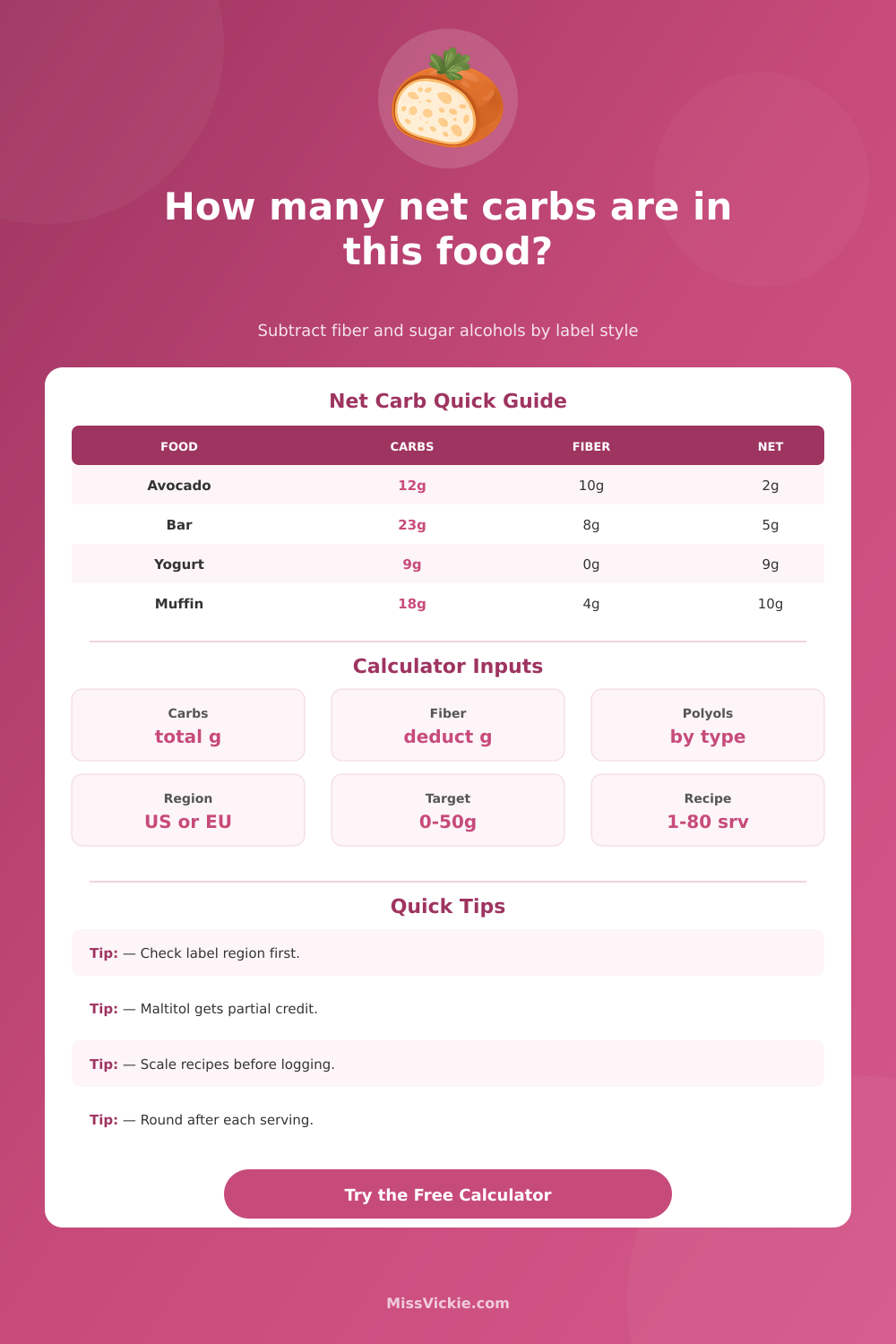
Total carbs, fiber, sugar alcohols, label region, recipe servings, and keto target
Net Carb Calculator
Estimate net carbs from a nutrition label or recipe batch by subtracting fiber and sugar alcohols with different credits for erythritol, allulose, maltitol, xylitol, sorbitol, and mixed sweeteners.
Pick a real label or recipe situation, then edit the grams, sugar alcohol type, label region, serving count, and target to match your food.
Calculation Breakdown
Commonly credited fully in net carb planning because usable carbs are minimal.
Often treated like a full deduction when it is listed separately on the label.
Partial credit keeps the estimate conservative for a sweetener with some energy.
Use partial credit; maltitol can act closer to digestible carbohydrate than erythritol.
| Situation | Formula Used | Best Input | Watch Point |
|---|---|---|---|
| US or Canadian nutrition label | Total carbs minus fiber minus sweetener credit | Use per-serving label grams | Fiber is usually inside total carbohydrate. |
| EU or UK nutrition label | Carbohydrate already excludes fiber, then subtract sweetener credit if listed | Use carbohydrate, polyols, and fiber lines as shown | Do not subtract fiber twice. |
| Whole recipe batch | Batch net carbs divided by recipe servings | Enter full recipe totals and servings made | Round after splitting into servings. |
| Per 100g label | Per 100g net carbs multiplied by serving grams divided by 100 | Enter label values per 100g and serving weight | Serving weight drives the final number. |
| Label Region | Carb Line Usually Means | Fiber Handling | Calculator Setting |
|---|---|---|---|
| US Nutrition Facts | Total carbohydrate includes starch, sugar, fiber, and listed sugar alcohols | Subtract fiber once | US or Canada |
| Canada Nutrition Facts | Total carbohydrate label style is similar for this planning math | Subtract fiber once | US or Canada |
| EU or UK declaration | Carbohydrate generally means available carbohydrate excluding fiber | Do not subtract fiber again | EU or UK |
| Australia or New Zealand | Carbohydrate is commonly shown separately from dietary fibre | Do not subtract fiber again | Australia or NZ |
| Custom recipe database | Depends on whether the database reports total or available carbs | Choose manually | Custom mode |
| Daily Net Carb Target | Snack Share 10% | Meal Share 25% | Planning Note |
|---|---|---|---|
| 20g strict target | 2g | 5g | Small label rounding differences matter more. |
| 30g moderate target | 3g | 7.5g | Works for many lower-carb meal patterns. |
| 50g flexible target | 5g | 12.5g | Leaves room for vegetables, dairy, and sauces. |
| Recipe-only target | Varies | Varies | Use the target as a meal-planning limit, not medical advice. |
| Food Example | Total Carbs | Fiber | Sweetener Credit | Estimated Net |
|---|---|---|---|---|
| Half avocado | 12g | 10g | 0g | About 2g |
| Low-carb tortilla | 19g | 15g | 0g | About 4g |
| Erythritol protein bar | 23g | 8g | 10g | About 5g |
| Maltitol cookie | 22g | 5g | 4g of 8g | About 13g |
| Plain Greek yogurt | 9g | 0g | 0g | About 9g |
Net carbs matter because the numbers listed as net carbs on a food product isnt always the same as the amount of carbs your body will process. Total carbohydrates on a label include all types of carbohydrates. This include starch, fiber, and sugar alcohols.
To find net carbs, one can subtract the fiber and sugar alcohols from the total carbohydrate. These ingredient dont significantly raising blood sugar levels. However, the rules for food labels is not always the same.
How to Use a Net Carb Calculator
The type of sugar alcohol may not be apropiate to subtract. In these cases, using a net carb calculator will make it easy to find the net carb content for a given recipe. The first step with a net carb calculator is to select a region for the food label.
If it is from the United States, the total carbohydrates include the fiber count. In this case, individuals must subtract the fiber count to find the net carbohydrate. For European and Australian labels, the available carbohydrates are listed separately from the fiber count.
In this case, if individuals subtract the fiber count from the carbohydrate total for an Australian food label, they will subtract it twice. The region will prevent this from happening so that carbohydrate are not subtracted more than once. Sugar alcohol counts are another variable with net carbs.
Depending on the type of sugar alcohol, individuals will get different net carb counts. For example, erythritol and allulose behave similar to zero-calorie carbohydrate alternatives. Therefore, they will receive full credit on a net carb calculator for being zero net carbs.
However, maltitol and sorbitol behave more like regular carbohydrates on the glycemic scale. These sugar alcohols will receive half credit on the net carb calculator. Individually selecting the type of sugar alcohol will ensure that the net carb calculation remain realistic.
This will also prevent an individual’s daily net carb count from becoming inaccurate. Another feature is recipe scaling. Net carbs can be calculated for a recipe so that an individual can see the net carb count for one serving.
The batch recipe may not contain the same number of servings as the individual calculates when preparing the recipe. Therefore, the net carb calculator allows an individual to decide how many servings they want to prepare. The net carb calculator can then calculate the net carbs for the recipe divided by the number of servings the individual intends to make.
Individuals has different daily net carb targets. An individual with a twenty-gram daily target will view the five-gram carbohydrate content in a food item as a larger portion compared than another individual whose daily carb target is fifty grams. To provide individuals with a better view of a specific food item, the meal-share percentage will translate an individual’s daily target to that food.
The net carb calculator will display the percentage of that daily target that the current food portion use. This will allow an individual to make a decision regarding whether they will eat the remainder of that food or save it for later. The net carb calculator has some limits in measuring an individuals carbs from food labels.
Food labels are not always perfect in calculating the carbohydrate content. The formulations of foods may have change since the last time the label was calculated. The type of fiber or starch in the food can also change a food’s net carb count.
Therefore, the net carb calculator will not provide an exact measurement, and the calculations are only for planning purposes. The reference tables listed on the net carb calculator website are not a replacement for reading the label on the food. Individuals must ensure they enter the correct amount of food into the net carb calculator.
If the values for the food are based off 100 grams of the food, the individual must ensure they enter the weight of the portion of food they consume. The serving-grams field on the calculator will allow for the calculation to be based on the weight of the food that was consumed. The type of sugar alcohol in a food item can have a greater impact on net carbs than the amount of fiber in the food.
For example, if a food item changes the type of sugar alcohol from maltitol to erythritol, the net carb count will be reduced by several gram per serving. The net carb calculator can be used to compare the net carb content of two different food items. The sugar-alcohol comparison grid displays the percentage of net carbs for each type of sugar alcohol.
This eliminates the need to remember which sugar alcohols contain more or less carbohydrates than others. The same logic can be applied to restaurant food or food made at home without a label. The individual can estimate the total carbohydrate content in a food item by reading the ingredient.
They can also estimate how much fiber and how much sugar alcohol is in the food. Then they can use the net carb calculator to calculate how many net carbs are in the food divided by the number of servings it contain. Looking at the region and the type of sugar alcohol in the food will eventually become a habit.
Individuals will look at the carbohydrate count on the food label and see if the fiber is separate. Then they will be able to pick the correct type of sugar alcohol. The net carb calculator has eliminated the need for individuals to use math to calculate net carbs.
Instead, they can focus on whether the portion of food they are eating fit into their daily target for carbohydrates. The net carb calculator provides individuals with a clearer picture of how a food item fit into there carbohydrate intake.