
On the De’Longhi Magnifica, you’ll find an idle shut-off timer that lets you determine how long the coffee maker run before shutting itself off. Some people might find the default time too aggressive for their routine, and if this is the case than changing the interval will make your life a bit more flexible.
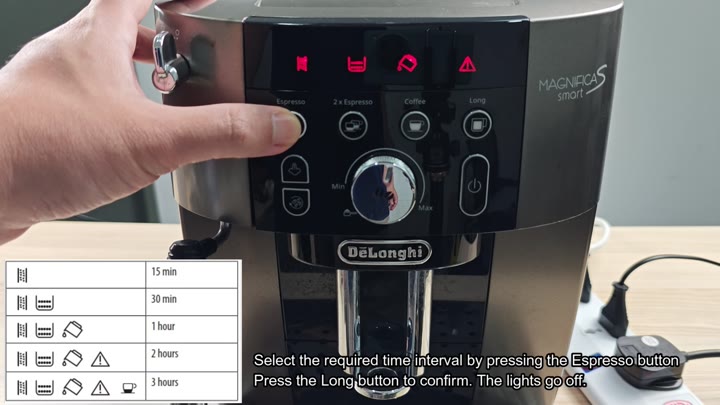
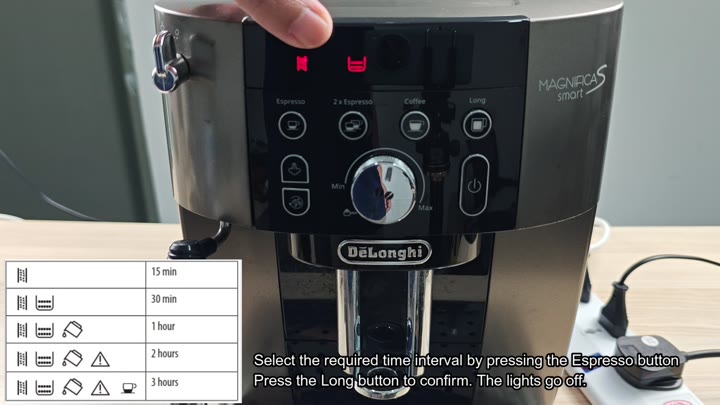
There are options for 15, 30, 60, 120, and 180 minutes. If you’re making just one cup at a time, I’d recommend using the two-hour timer. It is a decent compromise between letting the machine run while you sip your first cup and having it turn off after you’ve finished drinking it.
How to Adjust Timer Settings
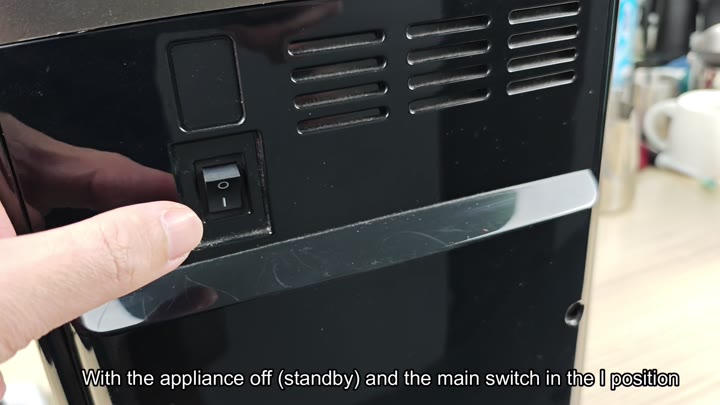
First, the machine has to be in standby mode. To do this, simply flip the main switch on the back of the unit (located between off and on) into the I position, since you won’t see anything unless you’re in standby. When it’s flipped to on, the machine will hum quiet, letting you know that it’s at the ready for input.
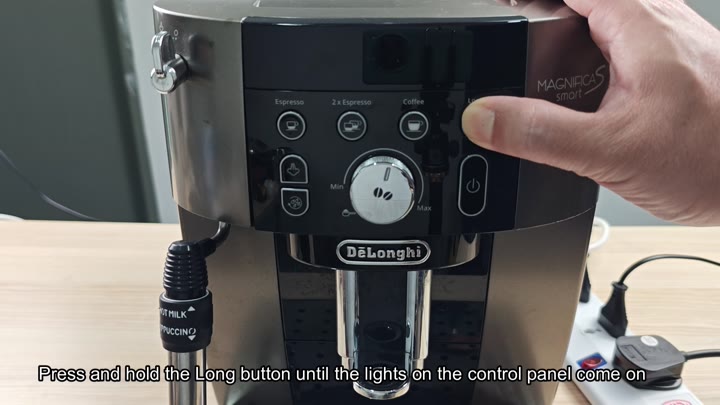
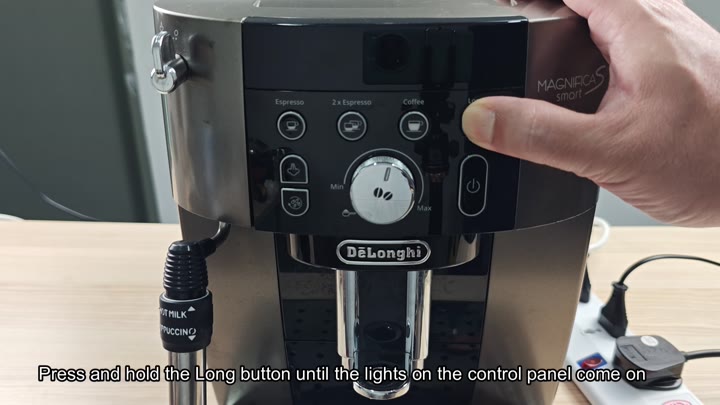
Then you hold down the Long button on the control panel. When pressed, the lights will comes on right away to show the menu is activated. After a one-second delay to let the system register your command, they will stay on to confirm the mode has been set. It’s an easy-to-use hold-button design consistent with that of similar De’Longhi machines.
So you’re on the Espresso button, it’s daylight, you’ve tapped and changed from timer mode. Every time you tap it will cycle through the available times. So it’ll do 15 then 30 or an hour and so forth up to three hours.
Just continue tapping until you land on the one you want. In this example, it might be two hours, but it may work for your workflow so you don’t need to stop and restart. And the indicator flip to show what you’ve got selected with every tap.
To set it, just press the Long button again when you’ve chosen your desired time. When the lights go out, they’re confirming your new auto-off setting has been saved. You don’t have to reboot the machine, either, the setting “sticks” immediatly.
Testing the machine by leaving it idle shows that it stays on for the full duration before powering down exactly as planned.
To test it, I’ve left the machine running and it remains powered up for the entire time until shutting down at the proper interval.
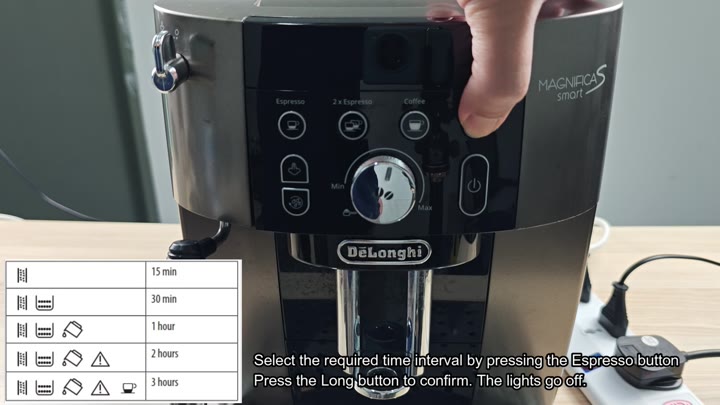
The timer is easy to use with no hidden menus or complicated combinations. Simply press and hold, tap, and then confirm. That is all there is to adjusting the settings.
It’s convenient yet also efficient since the machine runs without needing to think about when it’ll turn off (you don’t want to have to guess). Mornings go more smoothy as the machine know when to turn off thanks to this setting.