
If your rice cooker is no longer responsive, there’s an easy solution: power reset it. Sometimes when it stops working, the display will turn off and the buttons won’t respond. It’s likely just a brief glitch with the device’s electronics.
Don’t worry, you don’t have to throw out your rice cooker to solve this. Just about all of these errors is fixed with a power cycle. Start by unplugging it from the electrical outlet.
Reconnecting and Testing
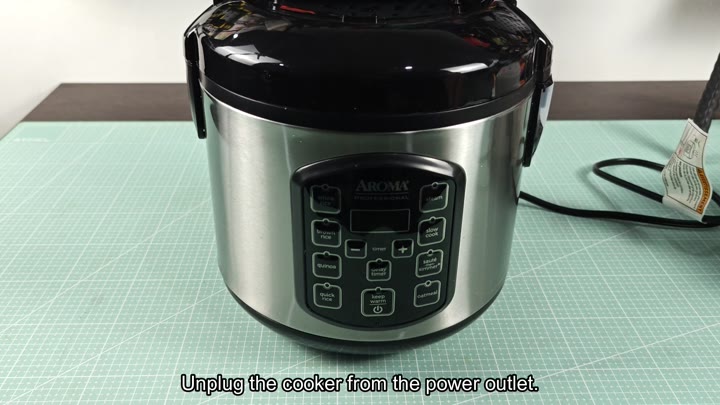
Pulling the Plug
Remove the plug from the power source by finding the power cord. Doing so will prevent electricity from flowing to the internal board. Make sure you break this connection fully. This step prepare the device for a reset.
Unplugging your appliance is step number one, but next, give it several minutes (ten minutes minimum) before attempting a reset. This gives the internal electronics a chance to discharge.
There are capacitors within the machine that retain some of the energy and they must be allowed time to release their charge. Skipping this step may result in an improper reset. While waiting, you might as well tidy up the countertop area.
The discharge process clear out all those stuck signals in the system. In a way, it’s rebooting the memory of the appliance. Let it go at least ten minutes so you can touch the unit when ready. By now, it should of cool off internally. That way, it’s prepared for the rest of the repair.
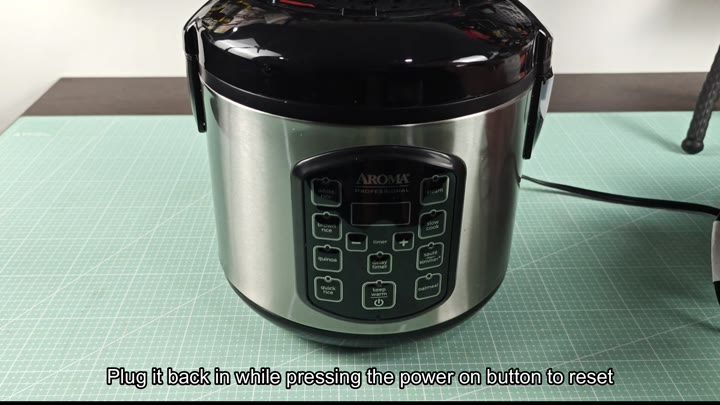
To that end, it’s time for step two: Plug in the power cord. Again, but this time with a catch. While doing so, press and hold the power button until the reset sequence begins. Again, don’t rush things; timing is everything here.
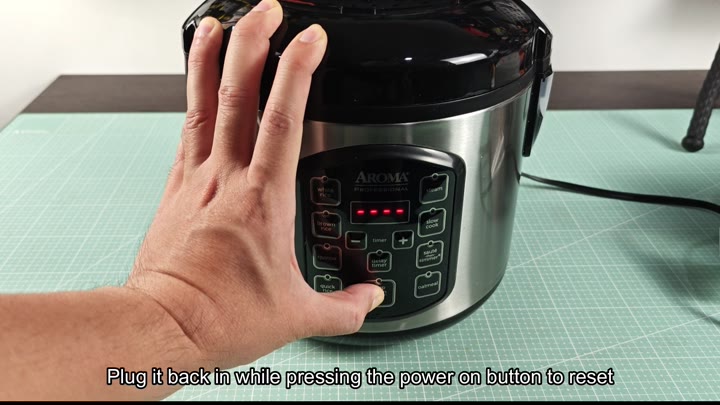
Push the plug into place while keeping the button down.
Keep an eye out for the control panel while you do this. When it boots back up, your LED lights will come on and your screen will show the current time. Once the reset sequence is done, it’s back in business. Everything else should be responsive as before. Try pressing some buttons (e.g., steam, white rice) to make sure they’re all working.
Now simply check a couple of function just to verify that the fix worked. Hit the cancel button and then the keep warm button; did the display change? Did the appliance react properly to all commands?
If so you’ve successfully reset the cooktop and it’s ready for use again. You saved yourself from replacing or repairing this appliance.
Most digital appliances would benefit from this fix. A simple reset will clear out any temporary software error on these devices. Therefore, try this solution first instead of purchasing a replacement or contacting support.
After resetting your rice cooker, you’ll be able to use the timer and cook rice as usual. The appliance becomes reliable again for daily use.