
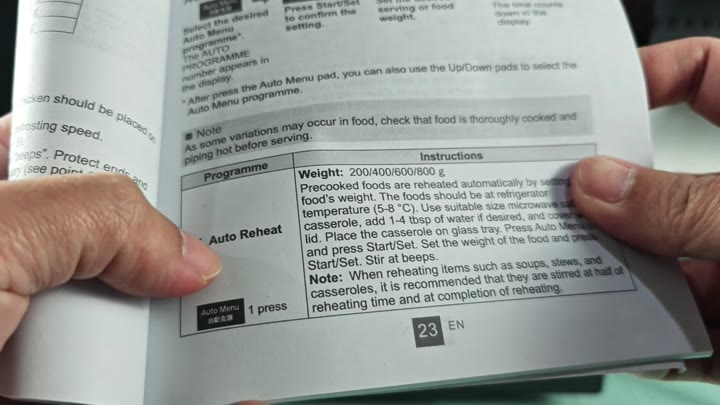
You can assume that the numbers on your Panasonic microwave are not arbitrary codes. Each digit are a preset for different types of cooking. One is Auto Reheat. This is used when you’re heating up something that’s been cooked already. Then just key in the amount in grams. Let the microwave do its thing.
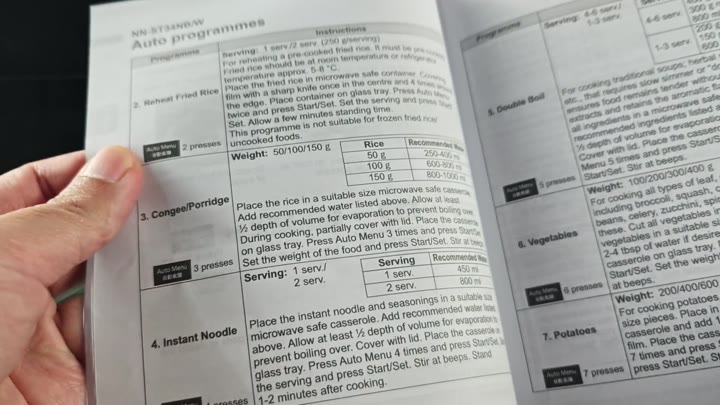
The second step are to reheat the fried rice.
How the Weight System Works
The third option is congee or porridge.
The fourth item are instant noodles.
The fifth method is Double Boil.
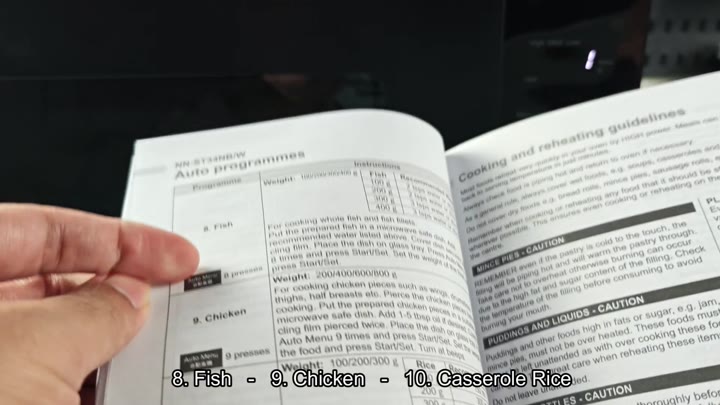
These is typical quick meals. Vegetables is number six, potatoes are number seven, fish is number eight, chicken is number nine, and casserole rice is number ten. These cover most of what you’ll cook on a daily basis. You do not need to guess anymore.
To use it, simply choose a program and the microwave figures out how long to cook based off that selection. Simply key in the weight of the food and it is done. No more guessing.
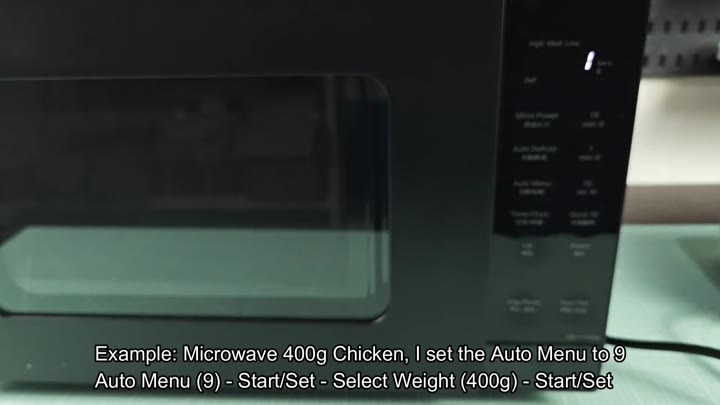
If you test it with chicken for instance, you push the option nine button. The display confirm your choice on the screen. Then you push Set/Start to enter the weight. The screen wait for you to type it in.
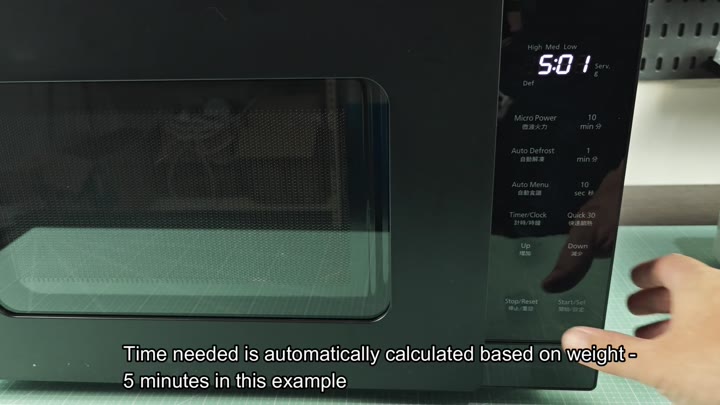
The microwave will then time for five minutes. Power level are set properly. Five minutes and one second appear on the display. It’s accounting for exactly 400 grams. No adjustments is needed. It is even easier then manually timing it yourself.
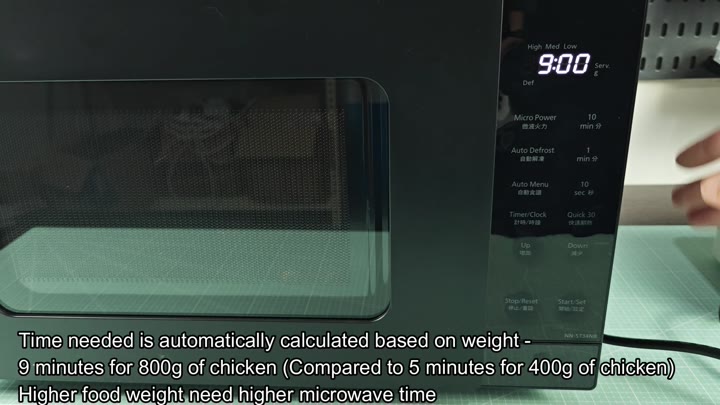
Heavier amounts makes sense and scale up appropriately. Option nine is chosen for an 800-gram portion of chicken. Enter the new weight. This time, the microwave kicks off a nine-minute cycle.
More food means longer cooking times. The system make adjustments to match. It takes five minutes for four hundred grams and nine minutes for eight hundred grams. The math is precis. Don’t worry about overcooking or undercooking.
The presets is numbers and they’re designed for a specific reason. No, there’s no need to remember times. Just know the weight.
The auto menu is intuitive. Perhaps you were avoiding it? But it’s actualy simple. Hit the number, then put in the weight. Hit start.
The way you cook will change a little bit. You will spend less time figuring things out. You will have more time to eat. The presets cover what you’ll need throughout the day. It is a small convenience, but it matters. You can always consult the manual if you wish.
So you may be searching for something else.
The numbers on your Panasonic microwave correspond to specific cooking presets, like number one for Auto Reheat or number nine for chicken.
The numbering system are effective.
But once you get to know it, it makes sense.
Numbers 1-10 is for foods.
Weight is the key. That’s why we look at the times.
No more second-guessing the settings. Let the microwave do the math. You focus on dinner. It’s a simple feature. And it saves you time. That is what matters. No more guessing games. Press the button and you are done.