
An Aroma rice cooker has a delay timer that makes preparing some rice in the morning (or even at night to set up for a late dinner) easy; no more rushing! It also makes cooking simple once you get the hang of the buttons, which means less time in the kitchen with hot meals waiting for you when you are hungry.
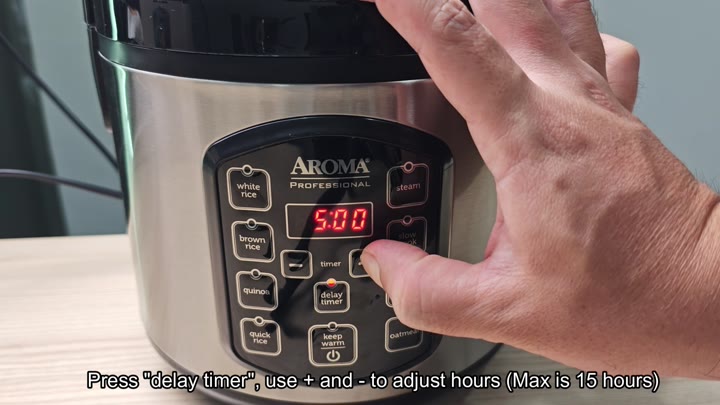
First thing, simply push the button for the delay timer on the control panel. This light the digital display that has either your existing time (if it knows) or a default. Next, use the plus or minus buttons to adjust the number of hours. Each tap adjusts the hour count.
Selecting Your Cooking Program
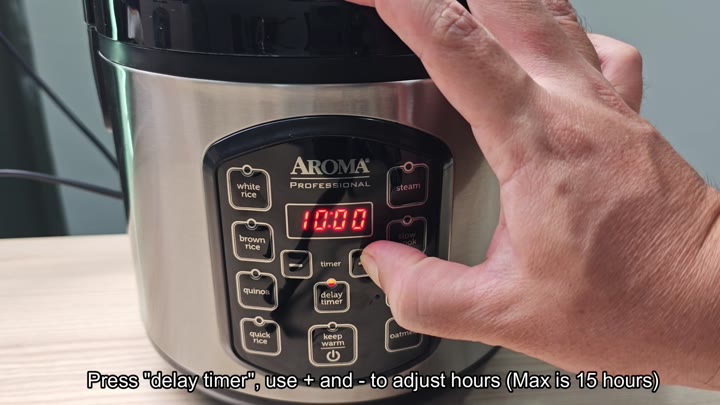
Because this feature will work in intervals up to 15 hours, you’ll be able to raise or lower the time accordingly. That’s more than enough for most schedules, which makes it fit nicely into your routine.
The ten-hour delay is also good to test out, as this allows the meal to begin cooking well after you have fallen asleep. Each time you hit the plus key, the red digits on the display increase. Keep pressing the plus key until the display reaches ten. The digits is easy to read and clearly shown.
After you set the time, avoid touching the timer button as it retains its programming until you select another program.
It won’t start until you tell it to.
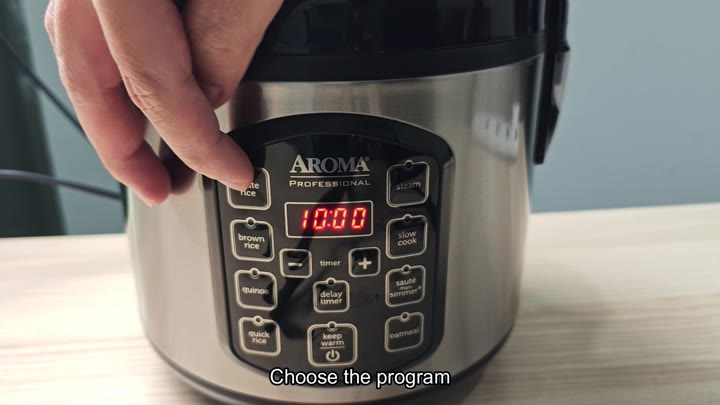
The second part is selecting your program, which in this case can be quite extensive. You have a button for white rice, another for brown rice, one for quinoa, and more. Just select the grain that you’d like to prepare.

The panel has a white rice button, for example, and if you choose that setting, a light on the panel will also illuminate, signaling your selection to the machine. It’s an easy way to ensure you’ve chosen correctly. It also ties the delay time to the type of cooking selected. The menu is simple and makes sense, so there is no complicated stuff here. Just tap it once more, and it is done.
Once you make your selection, the screen will stop on the last countdown and then you’ll see the number of minutes left on the clock represented by the red LEDs. If I’m cooking 10 hours worth of white rice, for instance, the white rice button will remain lit and the screen will read “ten hours left.” That’s comforting to see and you’re never guessing what stage you are at.
Until the time runs out the unit does nothing and when it is time, it kicks in. No worries about sitting next to it and watching it. Walk away and forget about it.
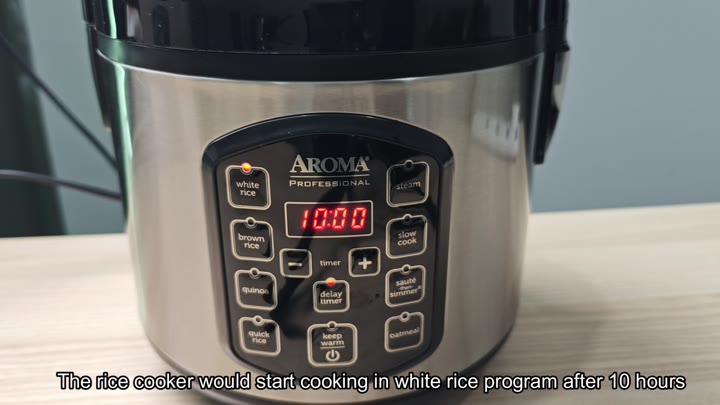
It’s also cool that you don’t need to remind yourself to turn it on later, since the automation takes care of it for you. Once the timer reaches zero, the cooker will kick into action and begin the process. It’ll just switch from waiting to working mode. Wake up to ready-to-eat rice, which continues to keep warm once it’s finished cooking.
It’s definitely one of those features that make the appliance worthwhile; it saves you from rushing around in the mornings, too, and there’s nothing more stressful than running late.
With a bit of forward thinking, life becomes less complicated, and the delay timer is a nifty function. You should of used it almost every week, and it’s exactly what it says on the tin: no hitches, just rice every single time. Sometimes simple is best.