
Although this is a solid machine (I use the De’Longhi Magnifica S Smart), its control panel gets confusing once those red lights begin flashing. Fortunately, you don’t need to guess; you’ll save yourself some aggravation and time if you know what the lights mean. Here’s how to crack the code: the way the machine work will give you a clue.
Fortunately, the clues is easier to read than you might think.
Common Indicator Light Meanings
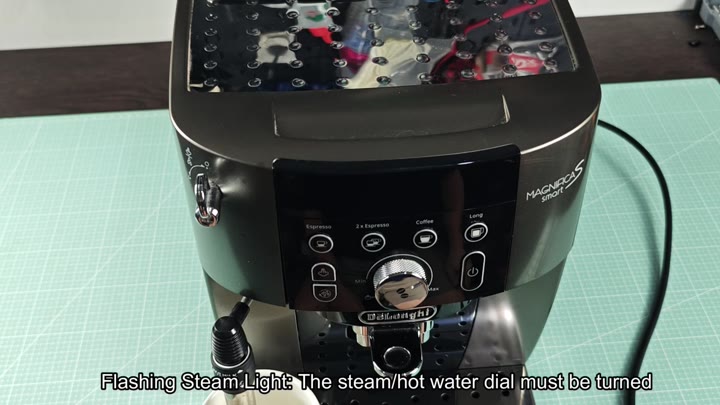
But what’s typicaly the first indicator is that light on the steam just flashes. That means you need to turn on the dial for steam or hot water. After making your lattes with frothed milk, you tend not to remember turning it off and resetting. As soon as you turn the dial back, the warning go away. It is an easy fix.
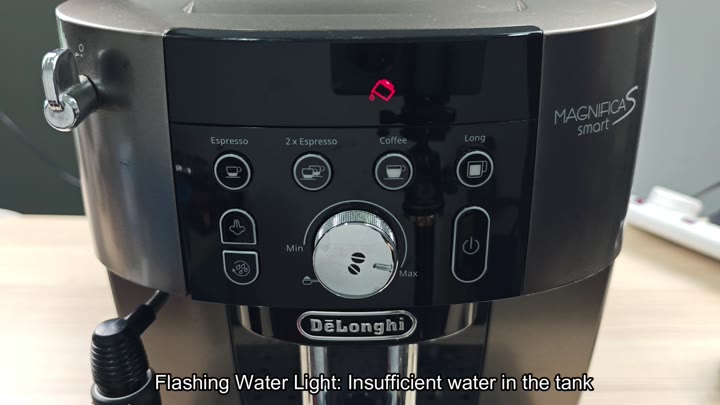
Water issues are common problems. The water light is flashing. This means the water tank is low. Refill it with clean water and machine will work normally again.
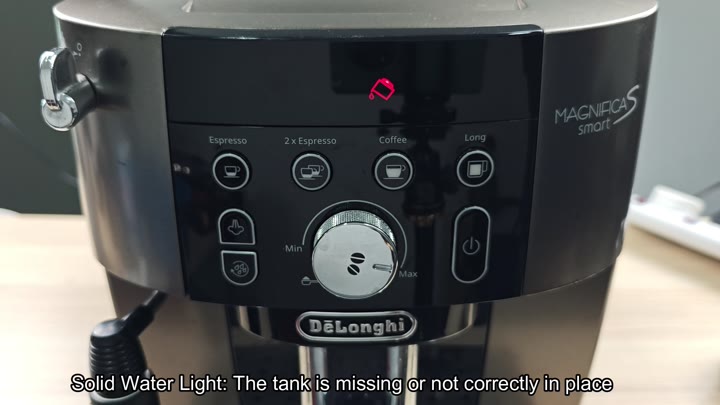
That light being solid mean the tank is either out of position or missing altogether. Ensure that you push it firmly down until it clicks into place.
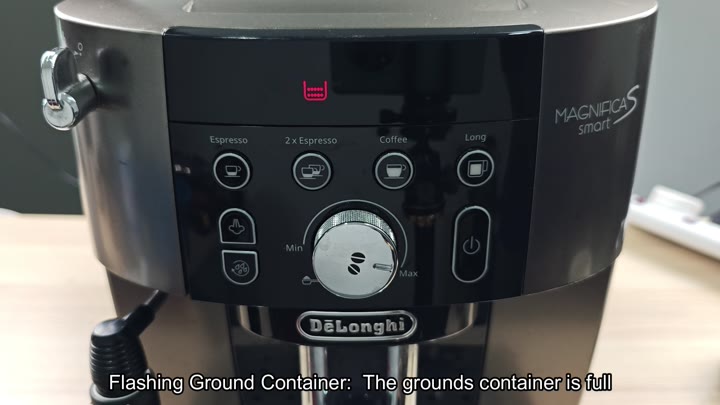
Indicators for container grounds are not always easy to read. When the container’s lights flash “grounds,” it signals a full container. Rinse it out, empty it, and you’re back in business with smooth-running coffee flow. You will have no more messy counters in the kitchen and no more overflowing container.
Voila. When the grounds light stops blinking and just remains on, that’s your signal that you’ve removed (but failed to replace) the container. The machine know the container is gone, and will stop making coffee until you pop it back into its cradle.

This does the trick and immediately corrects the mistake.
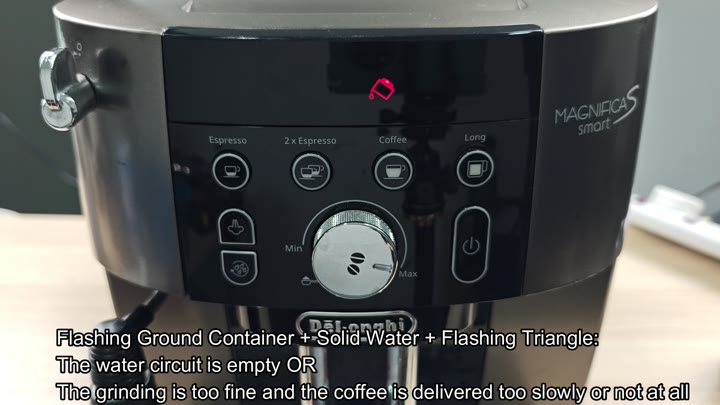
Other issues are more complicated: The combination of lights can tell you what’s wrong. For instance, a solid water light and a flashing grounds light mean that something is blocking the flow. Perhaps the grind is so fine that the water drips too slowly. Or perhaps there’s an air bubble in the system or no water are flowing through the water circuit. A solution typicaly involves adjusting the grind setting (or running a steam purge).
That is annoying. The other combination I get is a solid light on the ground and a flashing triangle. That one means: Bean hopper is empty. Refill with new beans, and you’re good to go.
Of course, there’s no such thing as brewing without coffee.
Pre-ground coffee problems: If the grounds light flashes with a solid triangle, it means pre-ground mode is selected but there is no coffee in the funnel. Uh-oh. Didn’t add the grounds on your way out the door that morning.
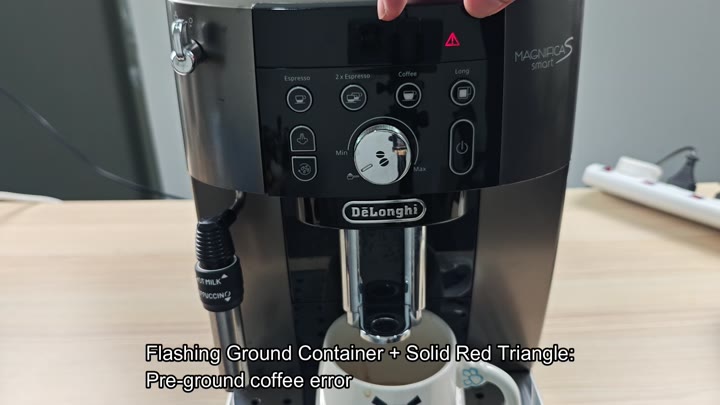
This one’s a classic. A flashing triangle, a flashing grounds light. Too much pre-ground coffee has tripped the machine: it senses you’ve got more then the usual amount and stops itself from being blocked. Learn your lesson: Use less powder.
It is well worth it.
Also of note are maintenance lights. One such light is for descaling. It blinks on and off to signal it’s time to descale. Use your owner’s manual instructions; follow them to run the cleaning cycle.
It’s all about keeping things in check, making sure the interior parts are happy and fresh to taste.
Lastly, what do the lights mean? The triangle lights is for internal status only. When you see a triangle light on, that means something about the interior of the machine is not right.
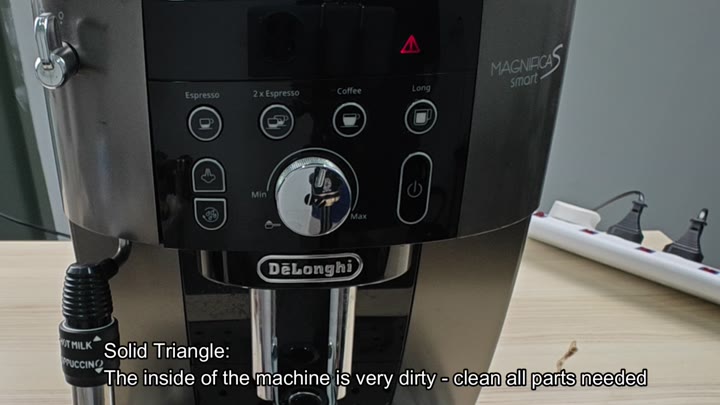
Flashing means it’s really dirty inside. Clean everything that needs to be cleaned. Get rid of the buildup of residue and coffee oils. Maintaining cleanliness prolongs the life and improves flavor.
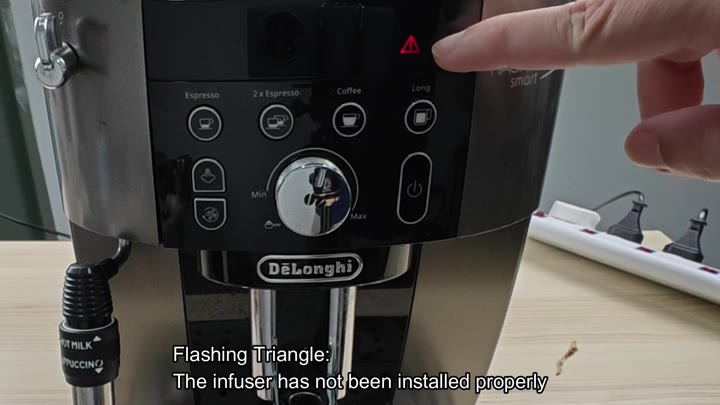
Solid triangle mean infuser hasn’t been seated properly. Double-check and make sure that infuser is locked into place. Oftentimes this would of fix issues with your brew.